准备
启动 zookeeper
启动 hbase
启动 hbase shell
hbase shell
创建表
语法
create "表名","列族名1","列族名2","列族名3"
例子
create "student","info"
显示结果如下:
Created table student
Took 2.4097 seconds
=> Hbase::Table - student
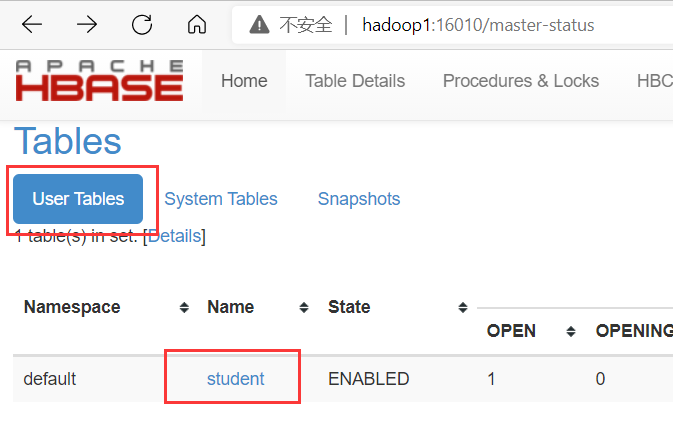
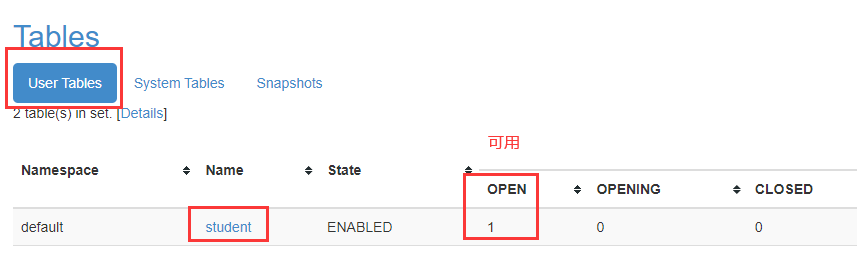
web页面查看
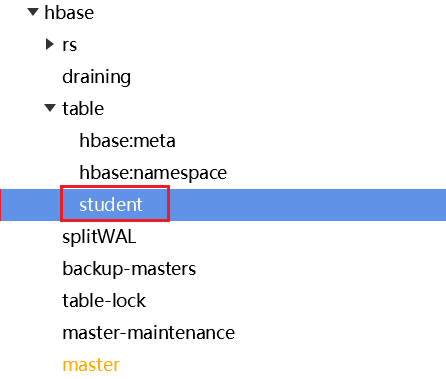
zookeeper 查看
例子2
create 'test2','c1','c2','c3'
显示结果如下:
Created table test
Took 2.4097 seconds
=> Hbase::Table - test
注意
create要小写- 表名、列族名 必须有 双引号 或 单引号
- 一个表可以包含若干的列族
- 调用 hbase 提供的 ruby 脚本的 create 方法,传递 2 个字符串参数
建表时指定其他参数
create '表名',{NAME => '列族名1',VERSIONS => 1},{NAME => '列族名2',VERSIONS => 1}
解释:
{NAME => '列族名1',VERSIONS => 1}:NAME => '列族名1':定义列族名为列族名1;VERSIONS => 1:该列族仅保留 1 个版本 的数据(HBase 支持多版本存储)
例子
create 'student2',{NAME => 'info1',VERSIONS => 1},{NAME => 'infor2',VERSIONS => 1}
列出所有表
list
显示结果如下:
TABLE
student
test
1 row(s)
Took 0.0356 seconds
=> ["student","test"]
web管理页面查看
在web管理页面也可以方便查看所有表,
页面如下: