说明
根据 post发送数据的4种方式 可知,发送数据有4种方式
这里只介绍发送 json格式的数据
axios 发送方式
方式一
post默认方式发送 json 数据
axios.post('http://localhost:8080/web_war_exploded/login', {
  username: 'lilei',
  password: '123456'
})
.then(function (response) {
  console.log(response);
})
.catch(function (error) {
  console.log(error);
});
方式二
axios({
  method: 'post',
  url: 'http://localhost:8080/web_war_exploded/axiospost',
  data: {
    firstName: 'Fred',
    lastName: 'Flintstone'
  },
  headers: {
    'testheader': '123456'
  }
});
postman 发送方式
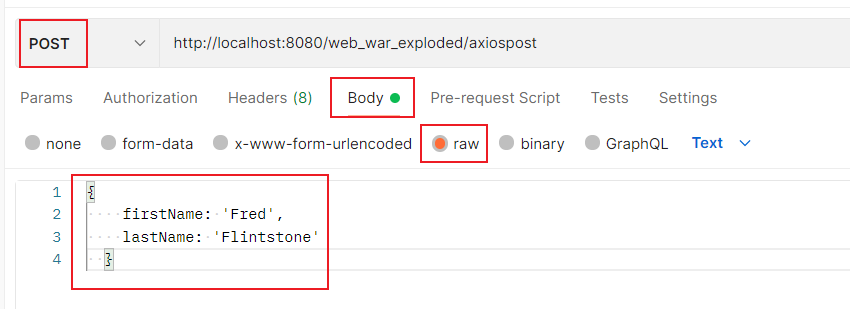
java获取参数
try{
    StringBuilder sb = new StringBuilder();
    BufferedReader reader = req.getReader();
    char[]buff = new char[1024];
    int len;
    while((len = reader.read(buff)) != -1) {
        sb.append(buff,0, len);
    }
    String str = sb.toString();

    System.out.println(str);

}catch (IOException e) {
    e.printStackTrace();
}