说明
官方文档:
https://element.eleme.cn/#/zh-CN/component/message-box
提出问题
文档中的例子,当点击 确定 时,如果后端操作失败,窗口仍然会关闭
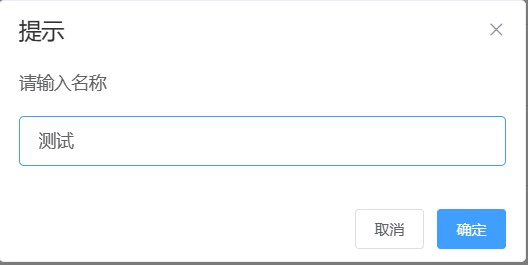
解决
修改官方文档中的例子,使用 beforeClose 方法,如果后端执行成功后,才关闭窗口,否则给出错误提示
beforeClose 说明
MessageBox 关闭前的回调,会暂停实例的关闭
函数声明:
function(action, instance, done)
形参:
action:的值为:
confirm:表示点击确定按钮cancel:表示点击取消按钮close:表示点击关闭按钮
instance:为 MessageBox 实例,可以通过它访问实例上的属性和方法。如:
instance.inputValue获取输入框中的内容done:通过
done()关闭窗口
关键代码
this.$prompt('请输入名称', '提示', {
  inputValue: data.name,
  confirmButtonText: '确定',
  cancelButtonText: '取消',
  beforeClose: (action, instance, done) => {
    if(action != 'confirm'){ // 表示点击取消、关闭按钮
        done() // 关闭窗口
        return
    }
    axios.post('/mgr/api/rename', {
        path: this.path+"/"+data.name,
        name: instance.inputValue, // 获取输入框中的内容
      })
      .then(res => {
        //console.log(res.data);
        if(res.data.code == 0){
            this.$message({
              message: res.data.msg,
              type: 'success'
            });
            this.goAbsPath()
            done() // 操作成功就关闭窗口
        }else{
            // 否则就给出错误提示,且不关闭窗口
            this.$message.error(res.data.msg);
        }
      });
  }
}).catch(() => {// 没有该方法会提示警告

});